Simple 3D Geometry Discover
Simple 3D Geometry Discover is an educational app from Kindergarten for learning 3D shapes through sandbox-style games.
Download now · v1.57Simple 3D Geometry Discover is aimed at toddlers, preschool, and kindergarten aged kids who want to discover 3D shapes in a playful way. The free app requires Android 11 or newer and takes up 59 MB, with version 1.57 updated on March 8, 2026.
- Version
- 1.57
- File Size
- 59 MB
- Requires Android
- 11
- Last Updated
- 08.03.2026
- Installations
- 5K+
- Category
- Educational
- Developer
- Kindergarten
- Content rating
- Everyone
- Package
- com.Kindergarten.CityAdventures1
- Free
- ✓
Previews
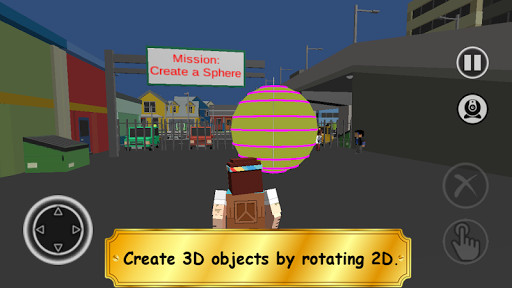
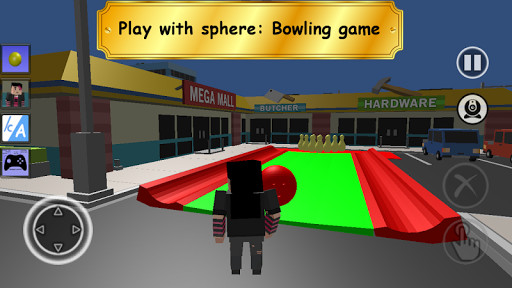
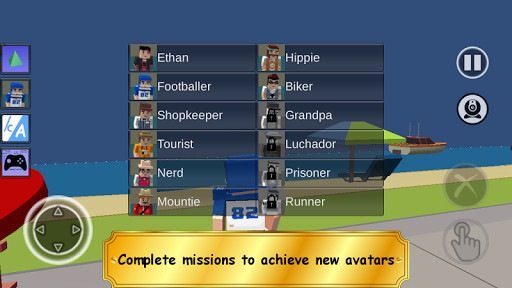
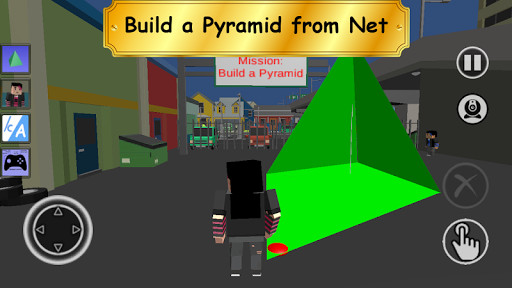
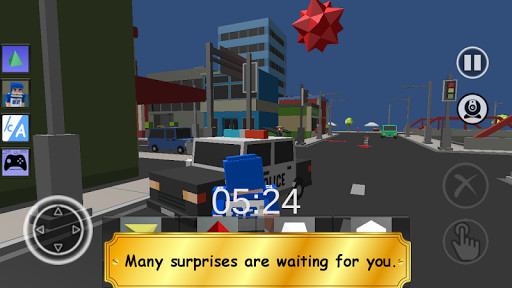
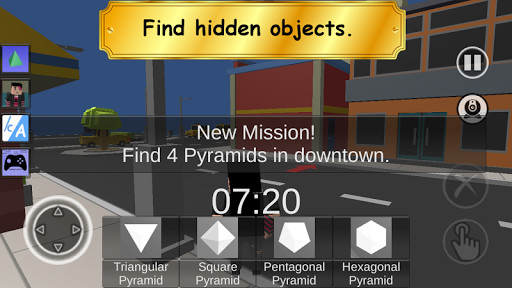
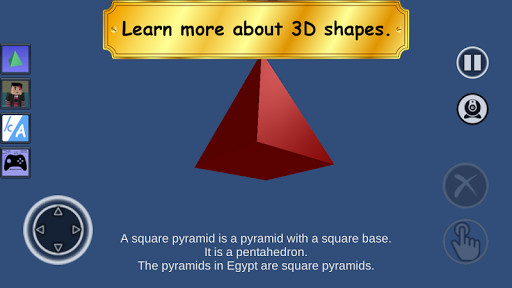
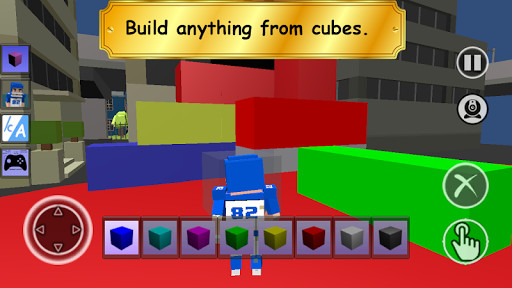
Simple 3D Geometry Discover is an educational Android app by Kindergarten that teaches 3D shapes through a sandbox-style town with cubicle characters and short missions. It addresses the difficulty of making early geometry lessons concrete for young children: instead of abstract diagrams, the app places spheres, cubes, cones, cylinders, toruses, pyramids, and prisms in a navigable environment where each shape is tied to an activity. A guided voice-over assistant explains the town as children explore, and dynamic weather such as snowfall, wind, and fog changes the look of the scene while keeping the shape-recognition tasks intact. Missions range from bowling with spheres in a parking lot and moving a boat into the water to starting a street race, matching colored balls on a beach, and building pyramids downtown. The app also shows how flat nets fold into solids, for example turning a circle into a sphere, a triangle into a cone, rectangles into a cylinder, and a cube net into a cube. Controls cover touch pads on phones and tablets, a physical gamepad, and keyboard and mouse on a TV-connected mini-PC. The current version is 1.57, released on 2026-03-08, and the package is 59 MB.
Key features
- Explorable sandbox town filled with 3D shapes and objects to discover
- Guided voice-over assistant that narrates the exploration
- Dynamic weather effects including snowfall, wind, and fog
- Cubicle characters and missions that unlock additional heroes
- Shape-based activities such as sphere bowling, boat movement, street racing, beach color matching, pyramid building, and prism collecting
- Net-to-solid demonstrations: circle to sphere, triangle to cone, rectangles to cylinder, circle to torus, and nets to pyramid, prism, and cube
- Touch controls for phones and tablets, gamepad support, and keyboard and mouse input for TV-connected mini-PCs
- HD cubicle-style graphics aimed at preschool and kindergarten audiences
How to install
- Tap the download button on this page to get the 59 MB APK file.
- When Android prompts you, allow your browser or file manager to install apps by enabling the Install unknown apps setting.
- Open the downloaded APK file from your notifications or file manager.
- Tap Install and wait for the package to finish installing.
- Open the app; it requires Android 11 or later.
Pros
- Ties each 3D shape to a concrete activity rather than a static diagram
- Voice-over guidance helps children navigate without reading
- Multiple input methods, including gamepad and keyboard and mouse
- Free to download and rated for Everyone
- Weather variation adds visual interest to repeated shape lessons
Cons
- Requests READ_PHONE_STATE, which is unusual for an educational title
- Asks for storage read and write permissions
- Includes the advertising ID permission, so ad-related tracking is possible
- In-app purchase behavior is not stated in the available data
Recent Changes · 1.57
Version 1.57 includes an update related to Unity’s platform security and integrity. No other gameplay, content, or feature changes are noted for this release.
Previous Versions
| Version | File Size | Requires Android | Last Updated |
|---|---|---|---|
| 1.57 | 59 MB | 11 | 08.03.2026 |
| 1.56 | 59 MB | 11 | 12.10.2025 |
| 1.55 | 58 MB | 11 | 25.09.2025 |
| 1.52 | 50 MB | 8.0 | 03.04.2024 |
This app suits parents, caregivers, and early-education teachers looking for a playful way to introduce 3D geometry to toddlers, preschoolers, and kindergarten-aged children. It is also a reasonable fit for households that play Android games on a TV-connected mini-PC, since the controls support a gamepad or keyboard and mouse. Children who respond well to open sandbox exploration with light mission structure will get more out of it than those expecting a strict step-by-step curriculum.
Let a child explore the town freely before starting missions, so the voice-over can establish shape names in context. If you use a TV-connected mini-PC, connect a gamepad or keyboard and mouse for smoother navigation. Review the permission requests during installation and decide whether they match your comfort level for a child's device.
App Permissions
Common Inquiries
Is this app free?
Yes, Simple 3D Geometry Discover is completely free to download and use.
What Android version do I need?
The app requires Android 11 or a newer version to run.
How large is the download?
The APK file size is approximately 59 MB, so it won't take up too much space on your device.
Do I need to create an account?
No, you can start exploring and playing immediately without creating an account or logging in.
What permissions does the app ask for?
The app requests permissions for network access, internet, reading and writing external storage, reading phone state, and the advertising ID.
How do I update the app?
To update, simply download the latest version from this page and install it over your current installation.
Simple 3D Geometry Discover offers a focused, activity-based approach to early shape learning with clear guidance and flexible controls. It is a sensible free option for families and classrooms that want geometry practice wrapped in sandbox play, provided the permission list is acceptable.
Comparable Apps




Last Updated: 18.10.2026